On this page
01 How it works
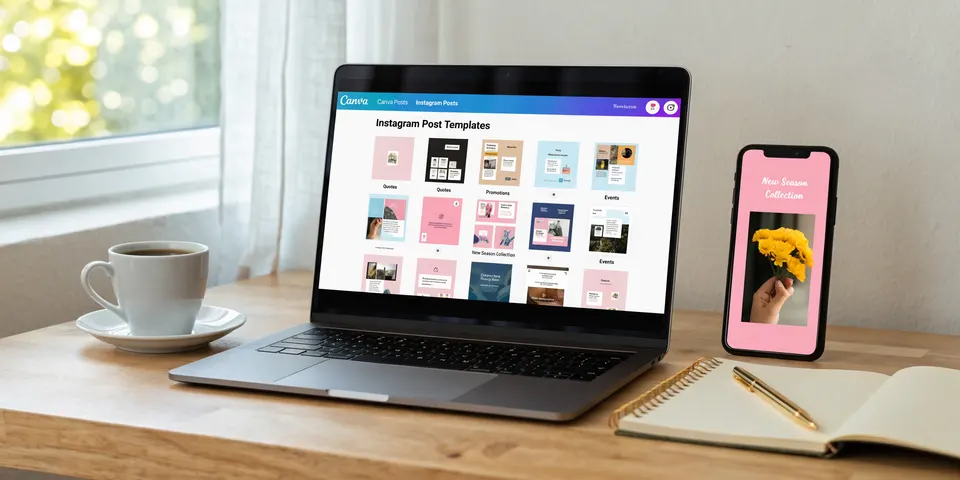
Canva is a free online design tool that millions of people use to make Instagram posts, flyers, presentations and invitations. Most of them are not designers. They open Canva, stare at an empty page and wish someone had already done the hard part. That’s your business.
You design a template — a finished-looking layout with fonts, colors, placeholder photos and text that the buyer can change. You don’t send a file. You send a Canva template link: when the buyer clicks it, Canva makes a fresh copy of your design in their own account. They type in their name, swap the photos and are done in minutes. Your original stays untouched, and the link works for every buyer.
You sell the link inside a small PDF on Etsy, Creative Market or your own shop. The buyer downloads the PDF, clicks the link, and the template opens in Canva. No printing, no shipping, no stock.
- Pick audience & need
- Research the market
- Design the pack
- Create template links
- Mockup previews
- List & sell
Three business models, one skill set:
02 Is this for you?
- enjoy making things look good — fonts, colors, clean layouts
- understand a group of people and what they need to publish
- like building a product once and selling it many times
- are patient enough to build a shop over months
- want a creative first online business with low start costs
- need steady income this month
- think “change the colors of a Canva template and sell it” is a business
- don’t want to answer buyer questions now and then
- hate details like spacing, alignment and typos
- aren’t willing to learn the licensing rules
03 The “saturated” myth — where the money really is
Search “Canva template” on Etsy and you’ll see a sea of results. Most people stop there. That’s exactly the mistake. Nobody wakes up wanting “a Canva template”. A physiotherapist wants Instagram posts that explain exercises without looking like a gym ad. A wedding planner wants a matching set of menu, place cards and welcome sign. A new real estate agent wants “just listed” posts that look expensive. Each of those is a small market — and in many, the top results are generic packs that fit nobody really well.

Every market I entered was “saturated” — books, shirts, all of it. It never was. As a designer I can tell you: buyers see quality instantly. A sharp niche, a clean design people trust, and the discipline to keep adding products — that’s what decides it.
The money sits in three places:
- A clear audience — one profession, life event or hobby, with real needs you understand. “For everyone” means for no one.
- Design quality — this is a design product. Clean hierarchy, good type, consistent colors. Buyers compare thumbnails and choose the one that looks like a professional made it.
- Bundles and consistency — a matching set (posts + stories + highlight covers + flyer) solves more of the buyer’s problem than one single file. A shop with one clear style builds trust and repeat buyers.
Broad vs. sharp: what a good template niche looks like
04 What AI changes
Template design used to mean long evenings: finding ideas, writing placeholder text, searching for fitting photos, making previews by hand. AI now handles most of the work around the design. The design itself — the taste, the layout, the decision what looks right — is still your job. And that’s good news: it’s what makes your product worth buying.
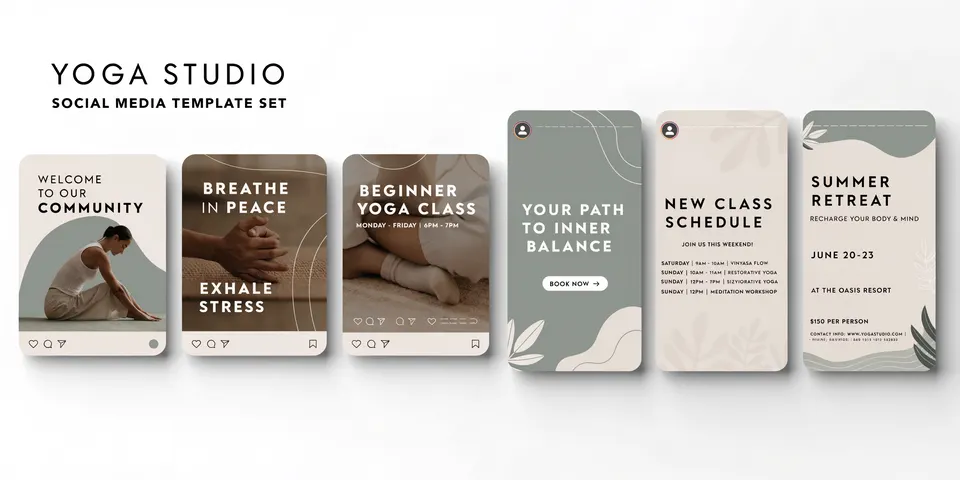

Where AI still needs you: Canva’s own AI tools and design generators produce layouts that look like everyone else’s. Text in AI images is often garbled. AI doesn’t know which audience pays or what a physiotherapist really posts. And a template pack only sells if every page works together — that’s design thinking, not a prompt.
05 Step by step — the complete process
All ten steps from zero to a template pack that sells. Plan roughly two to four weeks for your first pack if you work on it a few evenings a week.
This decides most of your result. Think of people who have to publish or present regularly, but have no time or skill to design: coaches, therapists, trainers, small shops, real estate agents, teachers, event planners, couples planning a wedding.
- Search the Etsy and Pinterest search bars for your idea and note the autocomplete suggestions — those are real searches.
- Open the top results. Many sales and reviews on similar packs mean demand exists.
- Read the reviews, especially the critical ones: “hard to edit”, “fonts didn’t load”, “too few pages”, “looked different in Canva”. Every complaint is your chance.
- Look at the previews. If the top shops look dated or generic, a clean, modern pack stands out.
Honestly, a buyer doesn’t want one post. They want their problem solved. Plan a bundle with a clear promise:
Decide teh sizes too: Instagram square and portrait, stories, A4 and US Letter for documents, 16:9 for slides. Offering both A4 and Letter makes you sellable in Europe and the US.
Before you design a single page, fix your system (I learned this in 15 years of agency work): 4–6 colors, 2 fonts (one for headlines, one for text), a consistent margin and grid. This is what makes a pack look professional. Use fonts that are available in Canva, so the design looks the same for every buyer.
- Build every page from scratch: your own layout, text styles and composition. Don’t just recolor one of Canva’s existing templates — that’s not allowed to sell and it won’t stand out.
- Make it easy to edit: group elements that belong together, keep text in real text boxes, use frames for photos so buyers can drag in their own.
- Write useful placeholder text instead of lorem ipsum — buyers love seeing a finished example (“5 signs your back needs a break”).
- Keep text readable on a phone: big enough, high contrast, not too much per post.
- Check spelling on every page. One typo in a preview costs trust.
Placeholder images set the mood of the whole pack, so take your time with them. AI lets you create them exactly in your palette — no stock photo hunt, no photographer.
Canva allows you to sell templates made in Canva — under clear conditions. In general terms:
- Deliver as a template link. Designs that contain Canva’s Pro elements may only be sold as template links that open inside Canva — not as PDF, PNG or any other file, flattened or not.
- Designs made only with free Canva elements, your own photos or your own AI images can also be sold as files, but the template link is still the easiest delivery for buyers.
- Your design must be your own creative work — several elements combined, your own layout. Minimal changes to Canva’s templates or single elements don’t count.
- Don’t sell Canva’s elements themselves (e.g. as clipart or stickers), and don’t try to register a template design as a trademark.
Read Canva’s current Content License and its help page on selling products before your first listing. The rules can change.
- In Canva, use the share options to create a template link (not an edit link — an edit link would let buyers change your original).
- Test the link in a second Canva account, ideally a free one. Check that fonts, photos and all pages show up as expected.
- Design a 1–2 page PDF: your brand, a big button with the link, short instructions (“Click, log in to Canva, the copy appears in your account”), and a note on personal vs. commercial use.
- Tell buyers clearly if some elements require Canva Pro to use — or design the pack so it works fully with a free account.
On a marketplace, your first image decides whether anyone clicks. Buyers don’t see the pack — they see your previews.
- Image 1: the whole pack at a glance plus a clear promise (“30 Instagram posts for physiotherapists — edit in Canva”).
- Images 2–5: close-ups of real pages, in phone or laptop mockups.
- One image showing “how it works”: click link → edit in Canva → post.
- One image listing everything included, with sizes.
- A short video showing the template being edited in Canva builds trust fast.
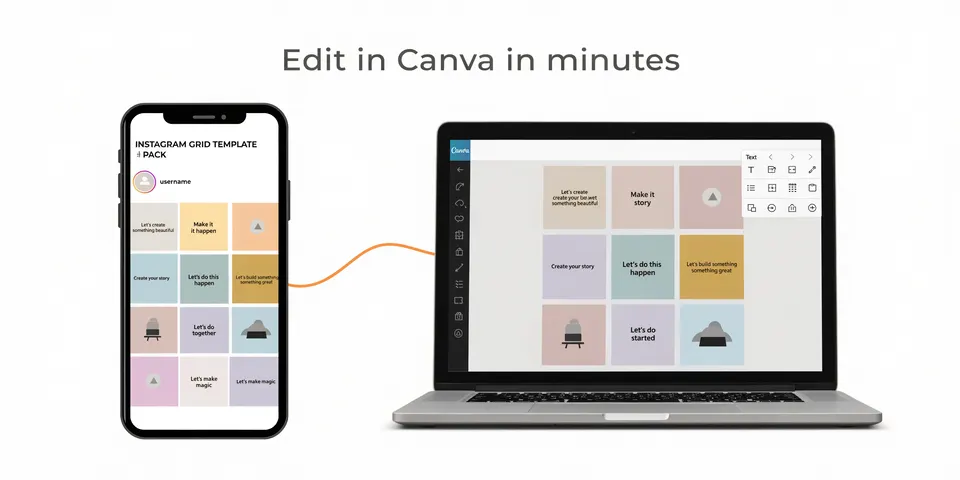
- Etsy: list as a digital item, upload your delivery PDF, fill all tags with what your audience really types. Etsy expects digital items to be based on your own original design, and asks you to be open about AI use.
- Creative Market: a marketplace focused on design assets with a buyer base that looks for professional templates. Present your pack like a designer.
- Own shop: Gumroad, Payhip or your website. You keep the customer relationship and can build an email list.
- Write a description that sells the result, not the file: time saved, looking professional, consistent brand.
- Pin your previews on Pinterest — it is a search engine for exactly this kind of product.
- Show before/after examples on Instagram or TikTok: plain post vs. your template.
- Read every review and question. They tell you what pack two should include.
- Expand sideways: the same audience needs more (posts → stories → presentation → client guide). Then combine them into a bigger bundle.
- Refresh your best sellers once a year: new trends in colors and layouts, new sizes.
06 Tools
Start with research — it matters more than any design tool. Everything else you can swap later.
07 Realistic expectations
Honestly: most single template packs sell slowly at first. Some find their audience quickly, many need better previews, keywords or a sharper niche — and some never take off. The shops that do well treat it like a small design studio: one or two clear audiences, a recognisable style, many matching packs, and steady improvements. Wedding and seasonal templates sell in waves, so judge your results over months, not weeks. The good part: a finished pack costs you nothing to deliver, so every sale after the first adds up.
08 Tips & common mistakes
- Do: Design for one audience at a time. A physiotherapist should feel “this was made for me”.
- Do: Test every template link in a free Canva account before you sell it.
- Do: Sell matching bundles — they solve more and feel like better value.
- Do: Show real pages in your previews, including how editing in Canva works.
- Avoid: Recoloring Canva’s own templates and selling them. It breaks the rules and buyers can find the originals.
- Avoid: Sending an edit link instead of a template link — buyers would change your master design.
- Avoid: Using brand names, logos or famous characters in templates, titles or tags.
- Avoid: Twenty rushed packs instead of five excellent ones. Reviews decide where you rank.
09 Pros & cons
- Very low start costs, no stock, no shipping
- Design once, sell many times
- Canva handles delivery and editing
- Huge buyer base of non-designers
- Easy to grow into bundles and a brand
- Many generic packs around — you must stand out
- Depends on Canva’s and Etsy’s rules
- Buyers need Canva (and sometimes Pro)
- Good previews take real time
- Templates can be shared or copied
10 Risks & legal
- Canva license: Sell only your own designs. Templates with Pro elements must be delivered as template links, not as files. Don’t resell Canva’s elements on their own, and don’t register template designs as trademarks. Check Canva’s current rules before you list.
- Trademarks & brands: No brand logos, sports teams, famous characters or brand names in designs, titles or tags.
- Fonts & images: Use fonts and images you’re allowed to use commercially. Fonts from Canva’s library are the safest choice for template links.
- Platform rules: Etsy expects digital items to come from your own original design and asks you to disclose AI use. Creative Market and other shops have their own quality and licensing rules.
- AI images: Follow the terms of your AI tool and Canva’s AI terms. In many countries purely AI-generated images may not be protected by copyright, so others could copy them.
- Copying & sharing: Template links can be passed on. Add a clear license note in your PDF and on your listing (personal use, commercial use, no reselling).
- Taxes: Digital sales are income, and VAT rules for digital products can apply. Check what applies to you where you live.
General information, not legal advice.
11 FAQ
Is it allowed to sell templates made in Canva?
Yes, Canva allows it — as long as the design is your own work and you follow its license. Designs with Pro elements must be delivered as Canva template links, not as downloadable files.
Do I need to be a designer?
No, but you need a good eye and the will to learn basics: alignment, spacing, fonts, color contrast. Look closely at the best-selling packs in your niche and train your taste.
Do my buyers need Canva Pro?
Not necessarily. A free account opens template links. If your pack uses Pro elements, some parts may be locked for free users — say so clearly in your listing, or design with free elements only.
Can I use AI images in my templates?
Yes. They’re a great way to get photos and illustrations in your exact style. Show honestly what’s included and disclose AI use where the platform asks.
Etsy, Creative Market or my own shop — where do I start?
Start on a marketplace like Etsy, where buyers already search. Once you have a few packs that sell, add your own shop and an email list, so you’re less dependent on one platform.
The Canva Template Starter Kit
- 50 audience ideas with template pack suggestions
- Pack planner: what goes into a sellable bundle
- Canva licensing checklist before you sell
- Delivery PDF template with instructions for buyers
- Mockup preview checklist (7 images that sell)
- Etsy listing template for template packs